


How Do I Choose the Best Virtual Staffing Company for My Business?
The best virtual staffing company understands the role you need filled, explains how it screens and matches candidates, supports onboarding, discloses the full cost, and protects your business information. Define the work and success measures first, then compare providers using the same questions. Evaluate talent quality, operating model, security, support, and total cost—not just the hourly rate.
Virtual staffing can help businesses access skills and add capacity without recruiting every role through a traditional in-house process. The outcome depends on the quality of the match and the system around the professional: clear responsibilities, secure tools, onboarding, management, and measurable results. Treat provider selection as a workforce decision, not simply a price comparison.
Key Takeaways
- Define the role, tasks, systems, working hours, and success measures before requesting candidates or quotes.
- Compare providers on recruitment quality, role fit, onboarding, management support, security, contract terms, and total cost.
- A low rate is not necessarily low cost if the arrangement creates rework, excessive supervision, or replacement delays.
- Require practical security controls such as unique accounts, multi-factor authentication, least-privilege access, and documented offboarding.
- Use the same questions and a weighted scorecard for every shortlisted provider; treat critical security gaps as pass/fail issues.
- Start with a controlled pilot and review performance against agreed measures before expanding the role or access.
What is a virtual staffing company?
A virtual staffing company helps businesses find remote professionals to perform defined roles or tasks. Depending on its model, it may handle candidate sourcing, screening, placement, onboarding coordination, payroll or HR administration, account management, replacement support, or ongoing supervision. These services are not identical across providers, so the label “virtual staffing” is not enough to establish what you are buying.
A virtual assistant is one common type of remote professional, often supporting scheduling, inbox management, customer communication, research, CRM updates, reporting, or administrative workflows. Other remote roles may involve bookkeeping, sales development, marketing, IT support, or specialized project work.
|
Model |
What it usually provides |
What the business should clarify |
|
Virtual staffing company |
Candidate sourcing and screening, with additional support depending on provider |
Who employs or contracts the professional, who manages performance, and what support is included |
|
Freelance marketplace |
Access to independent professionals and project listings |
Who vets candidates, manages delivery, handles continuity, and resolves disputes |
|
Traditional recruitment agency |
Candidate search and placement |
Whether support ends after placement and who handles employment administration |
|
Managed service provider |
A defined service or outcome, sometimes delivered by a team |
Scope, service levels, escalation, reporting, and responsibility for delivery |
|
Direct remote hire |
The business recruits and manages the person directly |
Who owns sourcing, contracts, payroll, compliance, equipment, and employee support |
At Remote Raven, we start with a focused intake conversation, search for and screen candidates against the role requirements, and give you the opportunity to interview the prospective professional before onboarding. Our hiring process outlines the steps and helps you prepare the requirements for your role.
How should you define your needs before choosing a provider?
Start with the work, not the job title. “I need an assistant” is too broad to produce a reliable match. A useful brief identifies recurring tasks, required skills, tools, expected hours, communication norms, decision boundaries, and measurable outcomes.
Before engaging in a virtual staffing company, clearly define what you need the person to do, the skills they must possess, the systems they will use, and how their performance will be measured. A well-defined role helps the staffing provider identify suitable candidates and reduces misunderstandings after onboarding.
Work and outcomes
- Question to answer: What tasks must be completed, what responsibilities will the professional own, and what does good work look like?
- Example: A virtual sales assistant may be responsible for updating CRM records daily, following up with prospects, scheduling sales meetings, and preparing a weekly pipeline report.
- Why it matters: Defining expected outcomes prevents vague job descriptions and ensures both parties understand what the role is accountable for delivering.
Skills and experience
- Question to answer: Which technical skills, software tools, communication abilities, or industry knowledge are essential for success?
- Example: Experience using a specified CRM, strong written communication, accurate data entry, and familiarity with lead management processes.
- Why it matters: Distinguishing essential skills from desirable qualifications helps the staffing provider prioritize relevant candidates instead of focusing on credentials that may not affect performance.
-Schedule and coverage
- Question to answer: What working hours, time-zone overlap, response windows, or weekend coverage does the role require?
- Example: A customer support assistant may need to overlap with U.S. business hours to respond to customer enquiries and follow up on outstanding requests.
- Why it matters: Agreeing on availability upfront prevents gaps in customer service, missed deadlines, and mismatched expectations about responsiveness.
Authority and escalation
- Question to answer: Which decisions can the professional make independently, and which situations require approval or escalation?
- Example: A virtual assistant may draft and send routine customer replies independently but escalate complaints, refund requests, and pricing exceptions to a manager.
- Why it matters: Clear decision-making boundaries help professionals operate confidently while protecting the business from unauthorized commitments and inconsistent customer experiences.
Systems and data
- Question to answer: Which applications, business systems, files, and sensitive information will the professional need to access?
- Example: The role may require access to the CRM, calendar, shared documents, customer contact details, and a company-approved communication platform.
- Why it matters: Identifying access requirements early makes onboarding easier and allows the business to apply appropriate permissions, authentication, and data protection controls before work begins.
Performance and accountability
- Question to answer: Which measurable indicators will demonstrate that the professional is performing effectively?
- Example: Performance could be assessed using data accuracy, response and turnaround times, tasks completed, follow-up completion rates, and the quality of escalations.
- Why it matters: Agreed performance measures give managers a consistent way to evaluate results, provide feedback, identify training needs, and determine whether the staffing arrangement is delivering value.
The key principle: Define the role around outcomes, responsibilities, and measurable expectations—not simply a list of tasks. The clearer the requirements, the easier it is to find the right person and build a productive working relationship.
This preparation helps us search against a real business requirement instead of a vague job description. Our remote staffing guide explains how to move from defining the role to candidate selection, secure setup, onboarding, and the first day.
What should you look for in a virtual staffing company?
1. A recruitment process that tests role fit
Ask how the provider turns your role brief into a candidate profile, where it sources candidates, and how it validates skills. Depending on the role, evidence may include structured interviews, work samples, writing tests, technical assessments, portfolio reviews, reference checks, or scenario-based exercises.
A résumé review alone cannot establish whether someone can perform your actual workflows. Ask the provider to explain what it assesses, what checks it conducts, and how it handles a candidate who meets the technical requirements but communicates poorly or needs more supervision than expected.
A clear process begins with an intake of conversation to understand the duties, hours, skills, and timing involved. Candidates are then sourced and screened before the client interviews the prospective professional. The hiring process explains how those steps fit together.
2. Relevant experience and communication
The best candidate is not always the person with the longest résumé. The candidate needs the right combination of skills, judgment, communication, and working style for the role. Remote workplaces particular importance on written clarity, dependable follow-through, documentation, and the ability to ask for clarification before a small problem becomes a larger one.
Ask how the provider evaluates the skills that matter for your position. For a customer support role, this could include a mock customer interaction. For an executive assistant, it could include prioritization and calendar scenarios. For bookkeeping support, you may need a role-appropriate accuracy test and clearly defined limits on financial authority.
3. Onboarding and workflow integration
Hiring is only the start. A capable remote professional still needs context, access, documentation, and a clear manager. Before signing, establish who will create accounts, explain workflows, provide training, set priorities, and review the first month of work.
A practical onboarding plan should cover the first week, the first 30 days, and the first 60–90 days. Start with essential access and repeatable tasks, then expand responsibilities as accuracy and judgment become clear. Use our remote employee onboarding guide to build a structured checklist for the new team member.
|
Stage |
Priority |
Evidence of progress |
|
Before start |
Role brief, access approvals, documentation, manager assigned |
Professional can explain responsibilities and access rules |
|
Week 1 |
Tools, communication norms, shadowing, low-risk tasks |
Tasks completed with guidance and correct escalation |
|
Days 8–30 |
Defined workflows and regular feedback |
Accuracy, turnaround, and independence improve |
|
Days 31–60 |
Broader task ownership where appropriate |
Performance meets agreed standards consistently |
|
Days 61–90 |
Review outcomes and adjust scope |
Clear decision to continue, refine, expand, or replace |
4. Ongoing support and accountability
Clarify what happens after placement. Does the provider check in with the professional, help resolve performance issues, coordinate a replacement, or simply remain available for account questions? Different models can be appropriate, but responsibility should never be ambiguous.
Define who assigns work, reviews quality, handles attendance issues, gives feedback, and resolves problems. If the client manages day-to-day work, assign an internal manager with enough time and authority to do it. If the provider offers managed support, establish what that support includes and how performance is reported.
5. Pricing transparency and total cost
There is no single price that fits every virtual staffing role. Costs depend on experience, workload, working hours, location, staffing model, recruitment effort, supervision, security requirements, and the services included. Compare like with like: a monthly fee that includes recruitment and account support is not directly comparable to a rate that covers only the professional’s hours.
At Remote Raven, we make hiring remote professionals more accessible with a flexible, cost-conscious pricing strategy. There are no start-up fees, and you only pay after we successfully place a candidate. Our pricing starts from $10 per hour, making it easier for businesses to access skilled remote talent without a large upfront recruitment commitment. The final cost depends on the role, the professional’s experience, and your specific requirements.
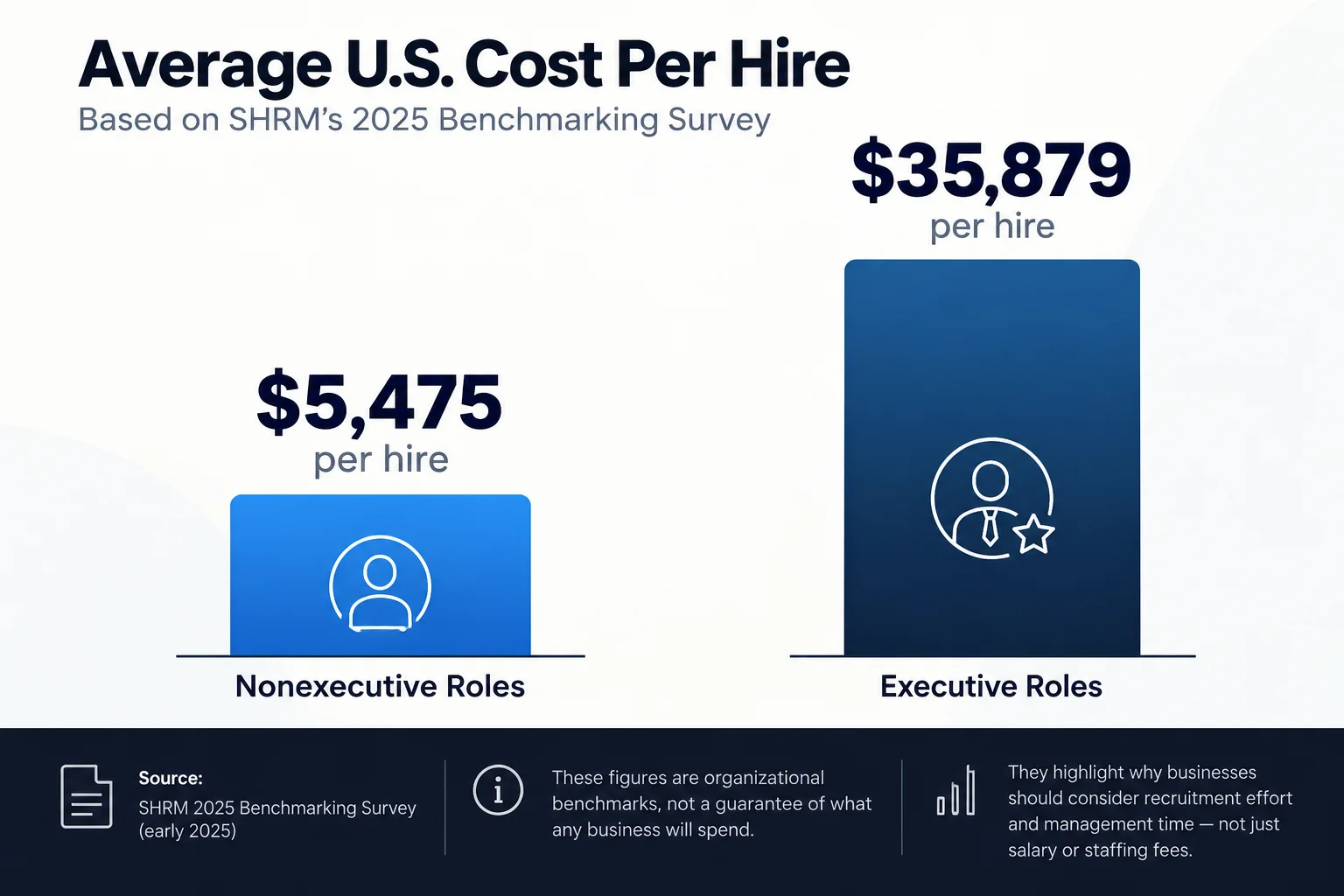
SHRM’s 2025 benchmarking survey reported an average U.S. cost per hire of $5,475 for nonexecutive roles and $35,879 for executive roles, based on survey responses collected in early 2025. These figures are organizational benchmarks, not a guarantee of what any business will spend and not proof that virtual staffing is automatically cheaper. They illustrate why businesses should consider recruitment effort and management time—not just salary or staffing fees. [1]
|
Pricing model |
May suit |
Questions to ask |
|
Hourly |
Variable workloads and flexible support |
Minimum hours, time tracking, approval, and treatment of unused time |
|
Monthly dedicated staff |
Ongoing responsibilities and predictable workload |
What happens during absence, holidays, low workload, or a change in scope |
|
Placement fee |
Businesses that want to manage the person directly |
What happens after placement, plus payroll, classification, benefits, and replacement terms |
|
Managed service |
Processes requiring team coverage or defined service delivery |
Scope, service levels, quality checks, escalation, and exclusions |
|
Project-based |
Defined deliverables with a clear end point |
Acceptance criteria, revisions, change requests, and deadlines |
The real cost should include the provider’s fee plus onboarding time, internal supervision, tools, potential rework, transition costs, and the risk of a failed placement. A low quote may be poor value if it requires repeated corrections or creates operational delays. A higher quote is not automatically better either; ask what additional support or risk reduction it buys.
Before signing with any provider, request a written breakdown of what is included and excluded, setup or placement fees, minimum commitments, cancellation terms, replacement policy, and any equipment or software costs. Compare those details with the scope of our virtual assistant and remote staffing services, then contact our team to discuss pricing and terms for your requirements.
How do you calculate the true cost of virtual staffing?
A useful comparison separates the provider’s invoice from the internal effort needed to make the arrangement work. That effort may be spread across a founder, manager, IT lead, or finance team rather than appearing as a staffing line item, but it still consumes capacity.
Estimate the total cost over the same period for every provider—usually a month or a quarter—and list the assumptions. Include one-time setup, recurring fees, tools, onboarding time, management time, expected coverage, and likely transition costs. Avoid pretending uncertain items are precise; mark them as estimates and test how the decision changes if assumptions worsen.
|
Cost component |
What to include |
Why it matters |
|
Provider fee |
Hourly or monthly rate, placement or setup fees |
Baseline invoice cost |
|
Internal management |
Time spent assigning work, checking output, and correcting errors |
Can make a low quote expensive |
|
Onboarding and tools |
Training, documentation, software licences, equipment, access setup |
Often excluded from headline price |
|
Continuity and transition |
Handover, replacement time, knowledge transfer, temporary coverage |
Reduces disruption when a match changes |
|
Risk and controls |
Required security tools, compliance review, additional oversight |
Depends on role sensitivity |
This is not a promise that virtual staffing will reduce costs in every case. It is a way to compare options on a consistent basis. For a role with sensitive access or a high cost of error, a provider that offers clearer controls or stronger continuity may be worth more—but identify the specific value rather than assuming a premium price means premium performance.
6. Security and confidentiality
Evaluate security before giving remote staff access to business systems. The U.S. Federal Trade Commission (FTC) recommends assessing third-party risks, putting specific security expectations in vendor contracts, verifying that providers follow those requirements, and limiting access to sensitive information. The FTC’s small-business cybersecurity guidance provides practical steps for managing vendor access. [3]
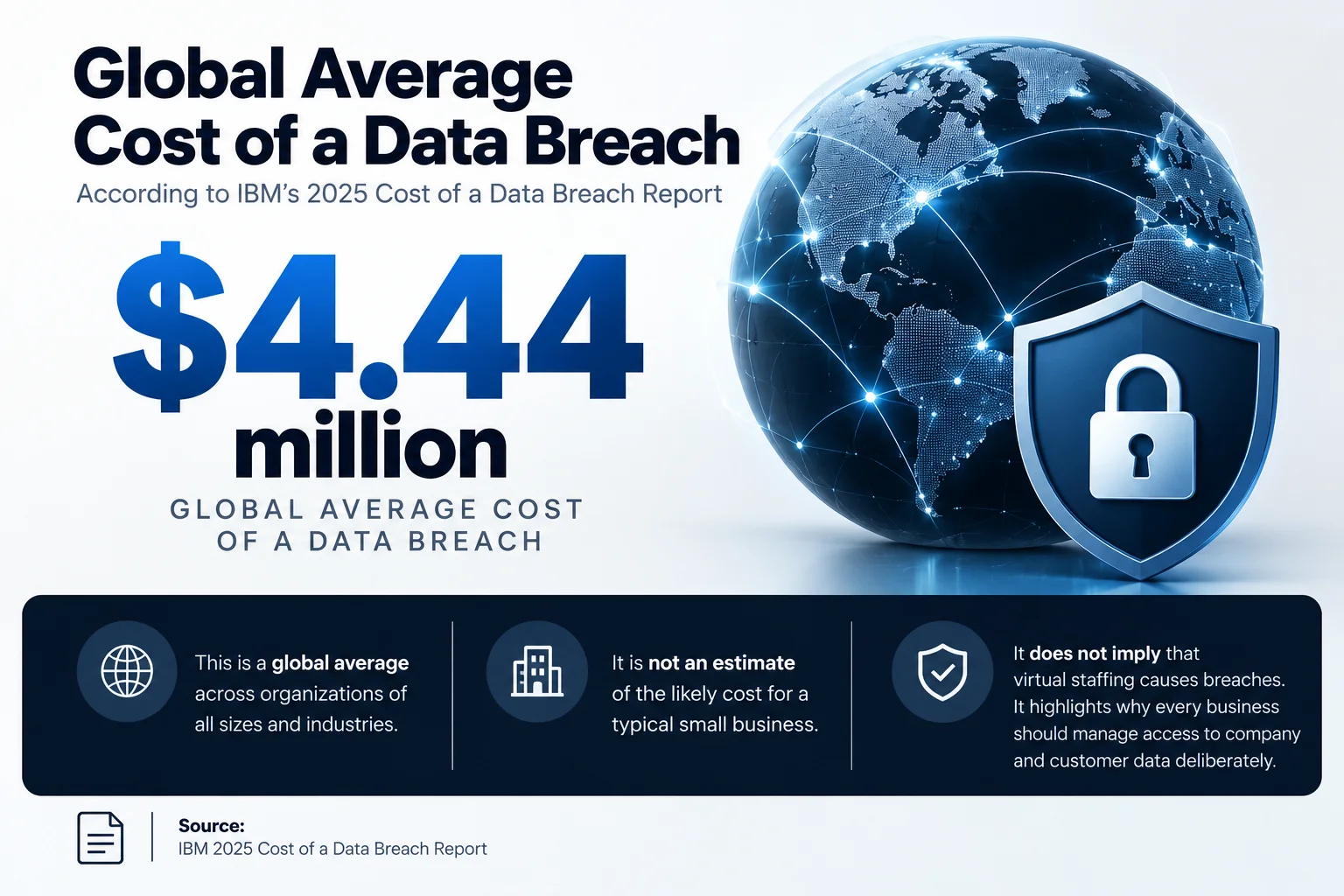
IBM’s 2025 Cost of a Data Breach Report estimated the global average cost of a data breach at US$4.44 million. This global figure is not an estimate of the likely cost for a typical small business, and it does not imply that virtual staffing causes breaches. It does underline why every business should manage access to company and customer data deliberately. [2]
|
Control |
What to ask the provider |
What the business should do |
|
Identity and access |
Are individual accounts and role-based permissions used? |
Never share logins; grant only the access needed |
|
Multi-factor authentication |
Is MFA required for email, CRM, finance tools, and cloud systems? |
Enforce MFA on relevant accounts |
|
Devices and networks |
What device, patching, encryption, and network standards apply? |
Approve the access method and minimum device requirements |
|
Data handling |
Can staff download, print, or store customer data locally? |
Define storage, transfer, retention, and deletion rules |
|
Incident response |
How are suspicious activity, lost devices, or accidental disclosures reported? |
Set an escalation contact and notification expectations |
|
Offboarding |
How quickly are accounts and credentials removed when work ends? |
Revoke access promptly and verify the handover |
The National Institute of Standards and Technology (NIST) provides guidance for identifying, assessing, prioritizing, and monitoring cybersecurity risks associated with suppliers and other third parties. Use its Cybersecurity Framework and supply-chain risk resources to structure vendor questions, scaling the depth of review to the sensitivity of the role. [4]
Security requirements should match the work. A remote assistant scheduling public-facing appointments does not necessarily require the same review as a professional handling financial records, health information, or proprietary technology. For regulated or highly sensitive work, involve qualified legal, compliance, and IT advisers before granting access.
At Remote Raven, we also provide managed IT, cybersecurity, cloud workstations, and business communications that can support the infrastructure behind a remote team. During a staffing discussion, we clarify which controls and services are included in the arrangement and which responsibilities remain with the client, so access, device management, and ongoing support are addressed before work begins.
Which virtual staffing model fits your business?
|
Model |
Best suited to |
Main advantage |
Main risk to manage |
|
Dedicated individual |
Recurring tasks that benefit from continuity |
One person learns your workflows and preferences |
Dependency on one professional; document processes and plan cover |
|
Managed team |
Work needing broader coverage, quality checks, or shift coverage |
Shared capacity and more structured oversight |
Less personalization if communication and documentation are weak |
|
Specialist staffing |
Work requiring a defined professional or technical skill |
Focused expertise for a specific function |
Skill claims need to be validated against actual work |
|
Staff augmentation |
Adding capacity to an existing internal team |
Your managers retain direct work direction |
Internal management must have capacity to supervise |
|
Project-based support |
Finite deliverables with defined acceptance criteria |
Clear scope and endpoint |
Scope changes can create cost and timeline disputes |
Choose the model based on how work arrives, how much supervision it requires, the coverage needed, and how much continuity matters. A founder who needs calendar and inbox support may prefer a dedicated assistant. A business running customer support across multiple shifts may need a team-based model. A defined marketing or technical project may be better handled through specialist or project-based support.
How do you compare virtual staffing companies objectively?
Use a scorecard to prevent a persuasive sales call or low headline rate from dominating the decision. Apply the same criteria to every shortlisted provider, ask for evidence, and write down unresolved questions. The weights below are a proposed framework, not an industry-standard benchmark; adjust them to your role and risk profile.
|
Criterion |
Suggested weight |
Evidence to examine |
|
Talent quality and vetting |
25% |
Screening stages, role-specific assessments, references where appropriate |
|
Role and business fit |
20% |
Quality of discovery, understanding of workflows, skill match |
|
Security and confidentiality |
15% |
Access controls, device requirements, incident handling, contract terms |
|
Onboarding and integration |
15% |
Training plan, documentation, account setup, first-month checkpoints |
|
Ongoing support and accountability |
10% |
Named contacts, performance reviews, escalation, replacement terms |
|
Pricing transparency and total cost |
10% |
Fee breakdown, exclusions, minimums, management burden |
|
Scalability and flexibility |
5% |
Ability to adjust scope, coverage, or staffing when needs change |
|
Total |
100% |
Critical security and legal requirements remain pass/fail |
Score each category consistently—for example, from 1 to 5—and multiply the rating by the weight. Do not let a high score in pricing or communication compensate for a failure to meet a mandatory security or compliance requirement. A scorecard organizes judgment; it does not replace due diligence.
A practical selection process is to define the role, shortlist three to five providers, ask the same questions, review the contract, and start with a controlled pilot. For the pilot, agree on tasks, working hours, tools, quality standards, check-in cadence, and criteria for continuing or stopping. Avoid granting broad access before the professional has demonstrated competence and the necessary controls are in place.
Questions to ask before you sign
|
Question |
What a strong answer should clarify |
|
How do you assess candidates for this role? |
Specific screening methods tied to the actual duties |
|
What is included in the fee? |
Recruitment, onboarding, support, tools, and any exclusions |
|
Who manages performance after placement? |
Named responsibility for feedback, escalation, and corrective action |
|
What happens if the match is not working? |
Written replacement or resolution process and any conditions |
|
How do you protect company information? |
Practical controls, documented rules, and contract commitments |
|
What happens when the engagement ends? |
Handover, data return or deletion, and access revocation |
|
How will we measure success? |
Role-specific outcomes and a review schedule |
What are the red flags when choosing a virtual staffing company?
- The provider sends candidates before understanding the role, workflows, or required skills.
- Pricing is vague, or important fees and exclusions appear only late in the process.
- Candidate quality is described with broad claims but no explanation of screening.
- No one can explain who handles performance issues after placement.
- Security is treated as a verbal assurance rather than documented controls and contract terms.
- The provider promises unrealistic timelines or guaranteed outcomes without explaining assumptions.
- There is no clear process for onboarding, replacement, handover, or offboarding.
- The provider encourages shared credentials or unnecessary access to sensitive systems.
A warning sign does not automatically prove a provider is unsuitable, but it should trigger more questions, written safeguards, a smaller pilot, or a decision to continue comparing alternatives.
How can Remote Raven help you evaluate virtual staffing?
At Remote Raven, we help businesses find remote professionals across administrative, customer service, sales, marketing, accounting, technical, and other business functions. Our process begins with an intake discussion, followed by candidate search and screening, an interview with the prospective professional, and onboarding coordination. We also offer managed IT, cybersecurity, cloud workstations, and business communications for businesses building the infrastructure their remote teams need. Before moving forward, we clarify the role, responsibilities, terms, and support requirements with each client.
If you are still defining the role, start with a clear brief: list the tasks to delegate, required skills, tools, working hours, data access, and outcomes that would make the arrangement worthwhile. Our remote staffing guide shows how to turn that brief into a practical hiring and onboarding plan. You can then compare our proposal with the same criteria you use to assess other providers.
If you need administrative support, we can help with calendar management, document preparation, inbox support, and other recurring workflows. Explore our remote administration services and contact our team about the work taking up too much of your team’s time.
Explore our virtual assistant services to see the roles and support available. If you have a position in mind, tell us about your requirements so we can discuss the skills, hours, and working arrangements that fit your business.
The objective is not to outsource every task. It is to identify work that can be delegated safely and effectively, select a suitable staffing model, and create the management and security conditions for the arrangement to succeed.
Book a free consultation with our team to discuss your requirements. We can clarify role fit, the hiring process, timing, costs, responsibilities, and any technology or security considerations before you decide.
Frequently Asked Questions
What is the difference between a virtual staffing company and a recruitment agency?
A virtual staffing company may provide candidate sourcing plus services such as onboarding coordination, account support, or ongoing management, depending on its model. A recruitment agency often focuses on finding and placing candidates. The actual difference varies, so ask who manages the professional, handles administration, and resolves performance issues after placement.
How much does a virtual staffing company cost?
Costs depend on the role, experience, working hours, location, staffing model, and services included. Compare the full fee and any setup costs, tools, management time, minimum commitments, and replacement terms. There is no single rate that applies to every virtual staffing role.
How can I tell whether a virtual staffing provider is reliable?
Ask for a clear explanation of candidate screening, role matching, onboarding, performance management, security controls, and replacement procedures. Look for specific processes and written terms rather than relying on broad claims or a polished website.
Is a virtual staffing company better than hiring a freelancer?
Neither option is universally better. A freelancer may suit a discrete project if you can manage selection and delivery yourself. A staffing company may suit an ongoing role when you want structured recruitment or additional support. Choose according to the work, management capacity, risk, and service model.
How long does it take to hire virtual staff?
The timeline depends on role complexity, candidate availability, working hours, screening requirements, and how quickly the business can make decisions. Ask providers for a realistic estimate based on your role and clarify what happens if the first candidate is not suitable.
Who manages a virtual employee after placement?
This depends on the agreement. Some providers focus on recruitment and placement while the client manages daily work. Other arrangements include account management or more active supervision. Clarify who assigns tasks, reviews output, provides coaching, handles attendance, and resolves problems.
How can I protect company data when hiring remote staff?
Use unique accounts, multi-factor authentication, least-privilege permissions, approved devices, written data-handling rules, confidentiality terms, incident reporting, and prompt access removal at offboarding. Ask your IT or security team to review access requirements before the professional starts.
What should I do before giving a virtual employee system access?
Identify the systems and data the role needs, create an individual account, enable multi-factor authentication, grant only the necessary permissions, explain data-handling rules, and define how incidents will be reported. Plan offboarding before access is granted so permissions can be removed promptly when the work ends.
Research and Further Readings
- [1] Society for Human Resource Management (SHRM) — 2025 Benchmarking Reports: recruiting budget and cost-per-hire findings.
- [2] IBM — 2025 Cost of a Data Breach Report: global breach-cost findings and study scope.
- [3] Federal Trade Commission — Cybersecurity for Small Business: vendor security, access control, and security provisions in contracts.
- [4] National Institute of Standards and Technology — SP 1305, Cybersecurity Framework 2.0: Quick-Start Guide for Cybersecurity Supply Chain Risk Management.