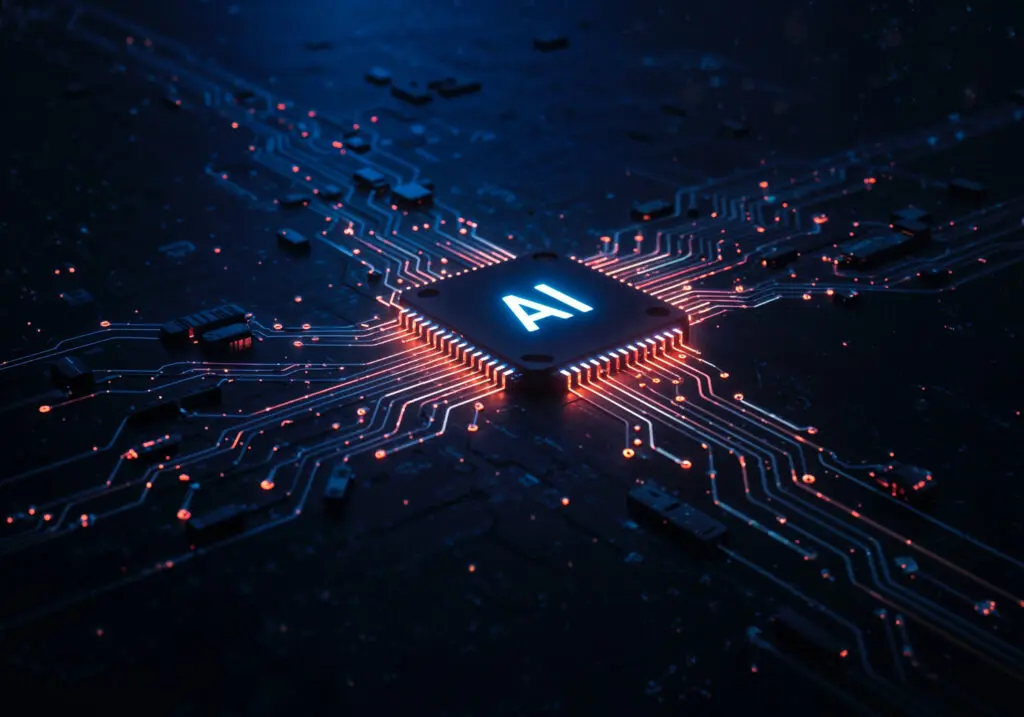
AI tools are transforming the remote work landscape. They enhance productivity and streamline communication.
Remote teams now rely on these digital workplace tools. They automate tasks and improve efficiency.
AI tools for remote work are essential. They help manage projects and track progress.
Virtual assistants powered by AI handle scheduling and emails. This frees up time for strategic tasks.
AI-driven solutions enhance cybersecurity. They detect and mitigate threats in real-time.
Remote work software with AI capabilities personalizes user experiences. It adapts to behavior and preferences.
AI tools also support talent acquisition. They screen resumes and conduct initial interviews.
AI tools are transforming the remote work landscape, making it easier for businesses to connect with talented remote workers. Companies can leverage platforms like Remote Raven to access a diverse talent pool while using efficient digital workplace tools that streamline collaboration and communication.
Explore the top 10 AI tools powering the remote workforce. Discover how they can benefit your team.
The Rise of AI in the Digital Workplace
AI is no longer a futuristic concept. It’s a present-day powerhouse in the digital workplace.
The adoption of AI tools has skyrocketed. Businesses seek to enhance efficiency across remote teams.
Digital workplace tools powered by AI automate mundane tasks. This leaves room for strategic decision-making.
AI tools are diverse. Here are some key areas they impact:
- Communication
- Project management
- Cybersecurity
- Customer support
Beyond automation, AI provides valuable insights. It analyzes data to improve team performance.
Moreover, AI-driven communication tools facilitate global collaboration. They offer real-time translation capabilities.
Businesses that integrate AI in remote work software gain a competitive edge. Enhanced productivity and engagement follow.
The integration of AI in the workplace is not just a trend. It’s an evolution reshaping how teams function remotely.
Why AI Tools Are Essential for Remote Teams
AI tools are crucial for remote teams, enhancing productivity and clarity. By utilizing platforms such as Remote Raven, businesses can find and engage talented workers who can thrive in a digital workspace, supported by powerful tools to ensure smooth collaboration.
AI tools transform how remote teams function. They bring efficiency and clarity.
These tools handle repetitive tasks. Employees focus on creative solutions and strategic planning.
AI in remote work software enhances collaboration. It connects teams globally without barriers.
Key benefits of AI tools include:
- Improved productivity
- Enhanced communication
- Streamlined project management
AI also contributes to a personalized user experience. It adapts according to behaviors and preferences.
Additionally, AI aids in decision-making. It offers data-driven insights and forecasts.
Overall, AI tools are vital in today’s ever-changing remote work landscape. They foster innovation and productivity.
Criteria for Selecting the Best Remote Workforce AI Tools
Selecting the right AI tools for your remote workforce requires careful consideration. Ensure the tools are user-friendly and integrate well with your existing systems.
Focus on tools that offer robust features. They should enhance productivity and communication without overwhelming your team.
To make an informed choice, evaluate tools based on these criteria:
- Ease of integration with existing systems
- User-friendly interface and features
- Scalability to accommodate team growth
Consider the tool’s ability to adapt. It should evolve as your team’s needs change over time.
By prioritizing these factors, your remote team can efficiently leverage AI for optimal performance.
Top 10 AI Tools Powering the Remote Workforce
Discover the top AI tools transforming remote work into a seamless experience. These tools not only enhance productivity but also improve communication across teams.
Here are the top 10 AI tools powering the remote workforce:
- Slack with AI Integrations
- Microsoft Teams AI Features
- Zoom AI Companion
- Notion AI
- ai
- Trello with AI Power-Ups
- Grammarly Business
- Asana AI
- Zapier AI Automation
- ActivTrak
1. Slack with AI Integrations
Slack, a leader in team communication, now offers AI integrations that further streamline collaboration. These integrations can automate common tasks and improve messaging efficiency.
Key AI integrations include:
- Automated reminders for tasks and meetings
- AI-generated meeting summaries
- Language translation features
These AI capabilities transform Slack into a more dynamic workspace. They not only enhance communication but also ensure nothing falls through the cracks.
Slack’s AI integrations bring more clarity and context to team discussions, leading to better decision-making and productivity.
2. Microsoft Teams AI Features
Microsoft Teams has embraced AI to simplify communication and elevate collaboration. AI features now enhance meetings and streamline workflow management.
Noteworthy AI features include:
- Real-time transcription during meetings
- Automated task assignments post-meetings
- Virtual background enhancements
These intelligent features ensure that remote teams stay connected. They also allow for efficient information sharing, regardless of location.
With AI, Microsoft Teams becomes a powerful hub for remote work, driving efficiency across projects.
3. Zoom AI Companion
Zoom has introduced AI-driven features to make virtual meetings more engaging and productive. Its AI companion offers real-time solutions to common video conferencing issues.
Key AI features are:
- Automated meeting notes and summaries
- Audio enhancements for clearer sound
- Real-time language translation
These improvements make meetings more accessible and informative. Participants can focus on discussions without worrying about note-taking.
Zoom’s AI features ensure that remote teams communicate effectively, without language barriers or technical hitches.
4. Notion AI
Notion has integrated AI features to enhance project management and organization. This productivity tool is now more intuitive with AI-generated insights.
AI enhancements include:
- Content suggestions and editing capabilities
- Automatic task prioritization
- Data analysis and visualization
These AI features bring clarity and structure to daily workflows. Teams can organize and manage projects with ease, fostering better outcomes.
Notion AI transforms information management, making it a versatile tool for remote teams.
5. Otter.ai
Otter.ai excels in transcription services, transforming spoken words into accurate text. This AI tool enhances meeting efficiency and collaboration through seamless documentation.
Features include:
- Real-time transcription during meetings
- Integration with popular video conferencing platforms
- Advanced search capabilities
Otter.ai eliminates the burden of manual note-taking, allowing teams to focus on discussions. It ensures everyone stays informed and aligned.
With its AI-driven accuracy, Otter.ai is indispensable for efficient remote teamwork.
6. Trello with AI Power-Ups
Trello’s integration of AI Power-Ups redefines project management, helping teams organize tasks and projects more effectively. These AI additions simplify planning and collaboration.
Available Power-Ups include:
- Automated task sorting and prioritization
- AI-generated project timelines
- Predictive resource allocation
These enhancements empower teams to manage workflows seamlessly. They reduce manual work and boost productivity across various projects.
AI Power-Ups make Trello a more dynamic and efficient project management tool for remote environments.
7. Grammarly Business
Grammarly Business leverages AI to enhance written communication across teams. It ensures messages are clear, effective, and error-free.
Key AI features include:
- Advanced grammar and spell checking
- Tone and style adjustments
- Real-time writing feedback
These tools improve the quality of team communication, boosting professionalism and clarity. The AI-driven feedback guides users in crafting messages that resonate.
Grammarly Business is essential for remote teams that prioritize clear and compelling communication.
8. Asana AI
Asana has infused AI into its platform, aiming to streamline task management and boost productivity for remote teams. AI-powered features automate and optimize workflows efficiently.
Highlights include:
- Automated task dependencies and timelines
- Predictive project forecasting
- AI-driven task recommendations
Asana’s AI capabilities simplify complex project management tasks. They enable teams to stay ahead of deadlines and optimize resource use.
AI enriches Asana, making it a powerhouse of productivity for remote work challenges.
9. Zapier AI Automation
Zapier excels in automation, utilizing AI to connect disparate apps and streamline workflows for remote teams. This automation reduces manual effort significantly.
Key automations include:
- Seamless integration between thousands of apps
- Automated data transfer between tools
- Trigger-based task execution
Zapier’s AI-driven automation ensures that repetitive tasks are handled effortlessly. It leaves teams free to focus on strategic initiatives.
The AI automation transforms Zapier into a crucial tool for enhancing remote team productivity.
10. ActivTrak
ActivTrak’s AI capabilities provide insights into team productivity and work patterns, optimizing remote workforce management. It offers valuable analytics to enhance efficiency.
AI features include:
- Real-time activity tracking
- Productivity analytics dashboards
- Automated alerts for unusual behavior
These insights help managers understand team dynamics and workflow efficiencies. The AI-driven analytics ensure resource optimization and improved performance.
ActivTrak empowers remote teams to achieve their productivity goals with data-backed strategies.
In addition to the tools highlighted above, platforms like Remote Raven play a vital role in connecting businesses with remote talent, enabling teams to work effectively within various digital environments and ensuring they have access to the expertise they need.
How to Successfully Implement AI Tools in Your Remote Team
Implementing AI tools in a remote team requires strategic planning. Start by identifying team needs and challenges. Focus on AI tools that align with your objectives.
Involve team members in the decision-making process. This encourages buy-in and reduces resistance to new technologies. Offer training sessions to familiarize the team with new tools.
Key steps to implementation:
- Assess specific needs and choose relevant tools.
- Engage the team in tool selection and usage.
- Provide ongoing support and training.
Monitor the impact of AI tools on productivity and workflows. Adjust strategies as needed to maximize their effectiveness. Successful implementation is an ongoing process of learning and adaptation.
Common Challenges and How to Overcome Them
While integrating AI tools in remote teams can present challenges, it is essential to remember the human aspect of remote work. As Randall Averitte, the founder of Remote Raven wisely put it, ‘Embracing innovation without losing the human touch ensures that remote teams remain connected and productive.’ This mindset fosters a supportive environment that navigates challenges effectively.”
Common issues include resistance to change and technical hiccups. Overcome these challenges with effective communication and patience. Provide comprehensive training to boost confidence among team members.
Strategies to tackle challenges:
- Communicate clear benefits and usage guidelines.
- Offer robust training and continuous support.
- Encourage feedback to identify and resolve issues quickly.
These steps foster a supportive environment. Emphasizing transparent communication aids in navigating challenges effectively, ensuring seamless AI integration.
The Future of AI in Remote Work
AI’s impact on remote work is rapidly evolving. Emerging technologies are set to redefine collaboration and efficiency. Future advancements promise even deeper integration within digital workplace tools.
AI will likely enhance personalization and automation. Predictive analytics could forecast workflows and trends. Virtual reality powered by AI might offer immersive remote collaboration experiences. These possibilities point toward an exciting future for remote work environments.
Potential future developments include:
- AI-driven personalized learning experiences.
- Enhanced virtual collaboration through AI innovations.
- Increased automation and resource management efficiency.
As AI technology continues to progress, the remote work landscape will adapt, becoming more innovative and efficient. Adopting these future advances will be critical for maintaining competitive and productive remote teams.
To underscore the vital balance between embracing technological innovation and maintaining personal connections in remote work environments, the founder of Remote Raven once said, ‘Embracing innovation without losing the human touch is key to thriving in the digital workspace.’ As we look to the future of remote work, this perspective will help guide teams in leveraging technology effectively while valuing the human element.”
Frequently Asked Questions About Remote Workforce AI Tools
What are remote workforce AI tools?
Remote workforce AI tools are software applications powered by artificial intelligence. They enhance productivity and communication for remote teams. These tools often automate tasks, provide insights, and facilitate collaboration.
How do these tools benefit remote teams?
These tools boost efficiency by automating repetitive tasks. They improve communication and help track and manage projects. AI tools also provide real-time insights for better decision-making.
Are AI tools secure for remote work environments?
Security is a top priority for AI tools. Many use advanced security measures to protect data. Always choose tools with strong encryption and compliance standards.
Popular AI tools include:
- Slack with AI integrations
- Microsoft Teams AI features
- Zoom AI companion
Selecting the right tools ensures your remote team stays secure, productive, and competitive. As technology evolves, more advanced AI solutions will emerge, offering further benefits.
Conclusion: Embracing AI for a Smarter Remote Workforce
Embracing AI tools for remote work not only optimizes team efficiency but also helps businesses connect with skilled remote professionals through services like Remote Raven. By leveraging these connections, companies can foster a more agile and effective remote workforce.
At Remote Raven, we help businesses tap into the best of both worlds; highly trained talent empowered by the latest technology.